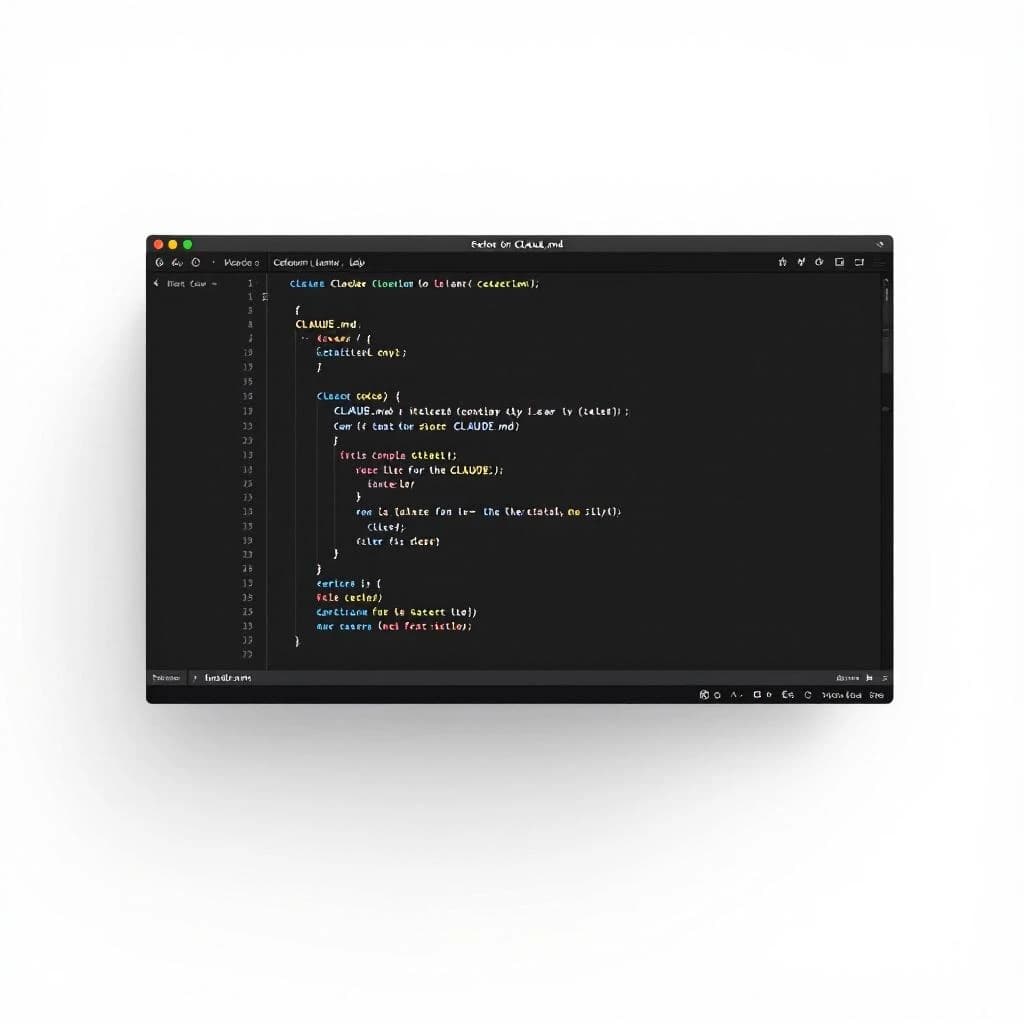
A CLAUDE.md file is a project-level configuration file that loads automatically at the start of every Claude conversation in that directory. Anthropic shipped it with Claude Code, and it's now spreading across production workflows as a way to set persistent instructions without repeating yourself in every prompt. You write it once, drop it in your project root, and Claude reads it on every session. The problem is most CLAUDE.md files I audit are 800+ lines of bloat that cost tokens every time you open a chat and rarely improve output quality.
What Is a CLAUDE.md File
CLAUDE.md is a markdown file that acts as a system prompt extension. When you start a Claude conversation in a directory containing CLAUDE.md, Claude automatically reads and applies those instructions before you type your first message. Project memory that persists across sessions without manual copy-paste.
Anthropic designed it for Claude Code, their IDE integration, but the pattern works anywhere you're running repeated Claude sessions on the same codebase or project. Think of it as a .env file for AI behavior. You're setting defaults that should apply to every conversation in this context.
The file costs tokens on every session. A 200-word CLAUDE.md file consumes roughly 300 tokens per conversation start. If you're running 50 Claude sessions a day on a project, that's 15,000 tokens daily just from your config file. At $3 per million input tokens on Claude Sonnet, that's pennies, but the real cost is context window pollution and slower response times when your instructions are bloated.
Why Most CLAUDE.md Files Fail
I've reviewed maybe 40 production CLAUDE.md files in client engagements over the past six months. The median length is around 850 lines. These files contain sprint goals from three months ago, 200-line code examples that already exist in the repo, rambling notes-to-self about what the author was thinking when they wrote a function.
The failure mode is treating CLAUDE.md as a dumping ground for everything you might want Claude to remember. That's not what it's for. It's a surgical configuration file, not a knowledge base.
Long CLAUDE.md files signal unclear thinking about what belongs in persistent memory versus what belongs in a specific conversation. When you're adding sprint goals or current bug lists to CLAUDE.md, you're conflating project configuration with project state. Configuration is stable, state changes daily.
The other common mistake is duplicating information that already exists in your codebase. If your README.md explains your tech stack, don't repeat it in CLAUDE.md. Claude can read your README when it needs to. The file should contain instructions that modify Claude's behavior, not reference material it can pull on demand.
What Actually Belongs in CLAUDE.md
Two categories earn space in a good CLAUDE.md file: behavioral knobs and immutable project facts. Behavioral knobs are instructions about how Claude should talk, what format to use, how to structure responses. Immutable project facts are constraints that never change, like your company's naming conventions or non-negotiable architecture decisions.
Behavioral knobs include tone (formal vs. conversational), output format (always show diffs, never write full files), decision-making rules (ask clarifying questions before making breaking changes). These are stable preferences that apply to every conversation.
Immutable project facts include your tech stack (Next.js 14, TypeScript, Tailwind), file structure conventions (components in /src/components, tests colocated), hard constraints (never use class components, all API calls go through the /lib/api wrapper). These facts don't change sprint to sprint.
Here's what never belongs: current sprint goals, active bug lists, work-in-progress notes, long code examples from your repo. If it changes frequently, it belongs in your conversation, not your config file. For guidance on how AI systems handle context and memory more broadly, see how AI chatbots remember conversations.
CLAUDE.md Example: A Production File Walkthrough
I run a 60-line global CLAUDE.md for this content operation and 30-line project-specific files for client work. Here's the structure that works, broken down section by section.
Section 1: Output Format Rules (8 lines)
# Output Format
- Always show file paths before code blocks
- Use diff format for changes to existing files
- Never write full files unless explicitly requested
- Ask clarifying questions before making breaking changes
- Respond with "Done" after completing a task
- Show token count estimates for responses over 1000 tokens
These six rules save me from repeating the same instructions in every conversation. The "show token count" rule is particularly useful when you're managing context windows carefully. Claude will estimate whether a response is going to blow through your budget before it commits.
Section 2: Tech Stack and Conventions (12 lines)
# Tech Stack
- Next.js 14 (App Router)
- TypeScript (strict mode)
- Tailwind CSS
- Deployed on Vercel

# Conventions
- Components in /src/components
- Tests colocated with source files
- API routes in /src/app/api
- Use named exports, not default exports
- Prefer function declarations over arrow functions for components
This section prevents Claude from suggesting patterns that don't match your project. Without these lines, Claude defaults to generic Next.js advice that might not fit your setup. With them, it tailors suggestions to your actual stack.
Section 3: Behavioral Preferences (6 lines)
# Behavior
- Conversational tone, not formal
- Explain why, not just what
- Flag performance implications for suggestions over 10ms
- Warn before suggesting dependencies that add >50KB to bundle
The performance flags are the most valuable lines in my CLAUDE.md. Claude will now proactively mention when a suggestion has bundle size or runtime implications. That's saved me from shipping bloated dependencies at least a dozen times, honestly.
Section 4: Project-Specific Constraints (8 lines)
# Constraints
- Never use class components
- All API calls go through /lib/api wrapper
- No inline styles (Tailwind only)
- Error boundaries required for all async components
- All user input must be sanitized through /lib/sanitize
These are the non-negotiables. If Claude suggests something that violates these constraints, it's a failed response. Writing them once in CLAUDE.md prevents repeated corrections in every conversation.
Total line count: 34 lines of actual content, 60 lines with spacing and headers. Token cost per session: roughly 400 tokens. That's a reasonable overhead for the consistency it buys.
How to Write Your CLAUDE.md File
Start with an empty file and add lines only when you catch yourself repeating the same instruction across multiple conversations. If you've told Claude "use diff format" five times this week, that instruction belongs in CLAUDE.md. If you've only said it once, it doesn't.
Use this test: if the instruction will still be true six months from now, it's a candidate for CLAUDE.md. If it might change next sprint, keep it in your conversation. Configuration is stable, state is volatile.
Write in imperative mood (do this, don't do that), not explanatory prose. "Use TypeScript strict mode" is better than "We prefer to use TypeScript in strict mode because it catches more errors." Claude doesn't need the justification in the config file. Save your tokens.
Group related instructions under headers (Output Format, Tech Stack, Constraints). This makes the file scannable and easier to update. When you need to change a convention, you know exactly where to look. For more on structuring AI instructions effectively, see how to use AI coding assistants like a staff engineer.
CLAUDE.md Best Practices for Production Use
Keep it under 100 lines. If you're over 100 lines, you're probably including state or reference material that belongs elsewhere. The best CLAUDE.md files I've seen are 40 to 80 lines. The worst are 800+.
Version control it like code. Your CLAUDE.md should live in your repo and go through the same review process as any other config file. When you change a convention, update CLAUDE.md in the same commit. Stale instructions are worse than no instructions.
Use project-specific CLAUDE.md files for multi-project repos. If you're working in a monorepo with different conventions per package, put a CLAUDE.md in each package directory. Claude will read the closest CLAUDE.md file in the directory hierarchy.
Measure token costs monthly. If you're running 500 Claude sessions a month and your CLAUDE.md is 200 lines, you're spending roughly 150,000 tokens monthly just on config file overhead. At current Sonnet pricing, that's $0.45, which is nothing, but it's a useful forcing function to keep the file lean. When token costs rise, bloat hurts.
Review your CLAUDE.md quarterly. Set a calendar reminder to read through the file and delete anything that's no longer true or no longer useful. Instructions accumulate like technical debt. Prune them.
CLAUDE.md Context Window Management
Claude's context window is 200,000 tokens on Sonnet and Opus models. Your CLAUDE.md file consumes input tokens at the start of every conversation, which means it reduces the effective window size for your actual work.
A 1,000-line CLAUDE.md file costs roughly 1,500 tokens per session. If you're doing deep codebase work that requires loading 50 files into context, those 1,500 tokens matter. You're giving up 0.75% of your context window to instructions that should fit in 400 tokens.
The context window economics get worse when you're chaining multiple Claude calls in an automated workflow. If you're running 20 sequential Claude calls to process a document, and each call loads your 1,500-token CLAUDE.md file, you've spent 30,000 tokens on configuration overhead. That's 15% of your context window gone before you do any real work.
I've seen production workflows where CLAUDE.md bloat added $200/month to API costs just from repeated loading of oversized config files. That's real money at scale. The fix is simple: audit your CLAUDE.md, cut it to 100 lines or less, watch your token costs drop by 10 to 15% across all Claude usage. For broader context on managing AI costs in production, see DeepSeek V4 pricing vs Claude GPT-4 cost per token.
Claude Code CLAUDE.md Specific Considerations
Claude Code reads CLAUDE.md automatically from your project root when you open a new chat. You don't need to configure anything. Drop the file in your repo and it works.
If you're using Claude Code across multiple projects, you can set a global CLAUDE.md in your home directory that applies to all projects. Project-specific CLAUDE.md files override global settings. This is useful for company-wide conventions (always use TypeScript, never commit secrets) that should apply everywhere.
Claude Code also supports .clauderc files for workspace-level settings, but CLAUDE.md is simpler and more portable. If you're sharing a project with a team, CLAUDE.md travels with the repo. Everyone gets the same instructions without manual setup.
One quirk: Claude Code concatenates global and project CLAUDE.md files, so if you set conflicting instructions, the project file wins. Be explicit about overrides. If your global file says "conversational tone" and your project file says "formal tone," Claude will use formal tone for that project.
Common CLAUDE.md Anti-Patterns to Avoid
Don't paste your entire README into CLAUDE.md. Claude can read your README when it needs to. Duplicating that content wastes tokens and creates a maintenance burden when your README changes.
Don't include code examples longer than 10 lines. If Claude needs to see your API wrapper implementation, it can read the file. CLAUDE.md is for instructions, not reference code. The only exception is tiny snippets that show format preferences (how you want imports ordered, how you want error messages structured).
Don't use CLAUDE.md as a scratchpad. I've seen files with sections like "Things to Remember" and "Notes for Later" that are clearly developer notes, not AI instructions. Those belong in a separate doc file, not in a config that loads on every session.
Don't set instructions you don't actually want followed. If your CLAUDE.md says "always write tests" but you never actually write tests, you're training Claude to ignore your instructions. Only include rules you enforce. Inconsistency teaches Claude that your CLAUDE.md is advisory, not mandatory.
Look, don't forget about mobile and junior developers on your team. If your CLAUDE.md is full of inside jokes and assumes deep context about your project history, new team members will be lost. Write for someone joining the project today, not for yourself six months from now.
Your CLAUDE.md file is a configuration file, not a knowledge base. Treat it like .eslintrc or tsconfig.json: small, focused, stable. If you're tempted to add something, ask whether it's a persistent instruction or a temporary note. Persistent instructions belong in CLAUDE.md. Everything else belongs somewhere else. The discipline to keep this file small is the same discipline that keeps your AI workflows fast and your token costs low.
Get a free AI-powered SEO audit of your site
We'll crawl your site, benchmark your local pack, and hand you a prioritized fix list in minutes. No call required.
Run my free audit