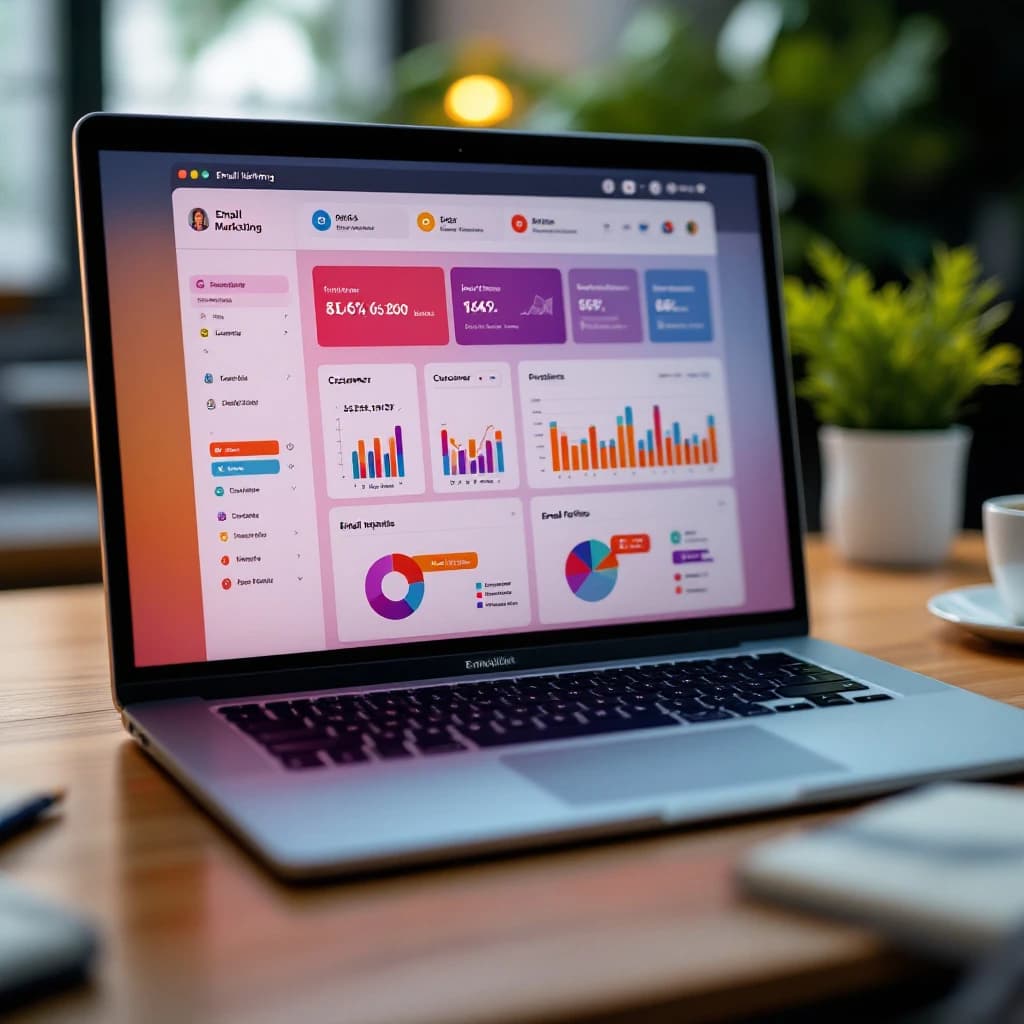
AI personalization engines track your customers' behavior across every touchpoint, building individual profiles that predict what each person wants to see, when they want to see it, and what price will make them convert. These systems monitor clicks, scroll speed, page dwell time, purchase history to segment customers beyond basic demographics. Then they dynamically adjust email content, product recommendations, pricing based on each person's predicted likelihood to buy. For marketers and small business owners, understanding these mechanics is the difference between blindly adopting tools and implementing strategies that respect privacy while driving measurable results.
What Is AI Personalization in Email Marketing
AI personalization uses machine learning algorithms to analyze customer data and automatically customize email content for each recipient. Unlike traditional segmentation where you manually divide your list into groups like "new customers" or "high spenders," AI creates individual profiles and adjusts messaging in real time based on behavior patterns. It's a different approach entirely.
The system tracks hundreds of data points: which links someone clicks, how long they spend reading, what time they open emails, what products they view but don't buy. How their behavior changes over time. Then it predicts what content, offers, send times will generate the highest engagement and conversion rates for that specific person.
According to research from marketing automation platforms, businesses using AI personalization in email see revenue increases of 41% from the same list size without sending more emails. That jump comes from better targeting, not volume.
How AI Tracks Customer Behavior for Personalized Offers
AI personalization engines collect behavioral data through tracking pixels, JavaScript snippets, API integrations. When someone opens your email, a tiny invisible image loads and records that action. When they click a link, the system logs which product they viewed, how long they stayed on the page, whether they scrolled to the bottom or bounced after three seconds.
Here's what modern systems track:
- Email engagement: Open rates, click rates, time spent reading, which specific links or images someone interacts with
- Website behavior: Pages visited, scroll depth, mouse movement patterns, time on page
- Purchase history: What they bought, when, at what price point, how often they return
- Cart behavior: What they add but don't buy, how long items sit in cart, what triggers abandonment
- Device and timing: Whether they use mobile or desktop, what times they're most active, how quickly they respond to emails
These data points feed into a customer profile that updates continuously. If someone who usually opens emails in the evening suddenly starts opening them at lunch, the AI adjusts send times. If they click product links but never buy at full price, the system flags them as discount-sensitive. Pretty straightforward.
Tools like Klaviyo, ActiveCampaign, HubSpot automate this tracking without requiring custom code. You install their tracking snippet once, and the platform monitors behavior across email and web automatically. For businesses with technical resources, building a custom AI agent can provide more control over data collection and analysis.
Building Individual Customer Profiles
Once the AI collects behavioral data, it builds a profile for each person on your list. This isn't just storing information. The system uses clustering algorithms to group people with similar behaviors, then applies predictive models to estimate future actions.
For example, if 1,000 customers who browsed your site three times in a week without buying eventually converted after receiving a 15% discount email, the AI identifies that pattern. When a new customer exhibits the same browsing behavior, the system predicts they'll respond to a similar offer. It's pattern matching at scale.
These profiles typically include:
- Engagement score: How actively they interact with your emails and site
- Purchase propensity: Likelihood to buy in the next 7, 14, or 30 days
- Price sensitivity: Whether they wait for discounts or buy at full price
- Product preferences: Categories and specific items they view most often
- Churn risk: Probability they'll stop engaging or unsubscribe
Most AI email platforms update these scores after every interaction. Someone who hasn't opened an email in 60 days gets a declining engagement score and might receive a re-engagement campaign. Someone who just made their third purchase in two months gets flagged as a loyal customer and stops seeing aggressive discount offers. Makes sense.
How AI Dynamically Adjusts Offers and Pricing
Dynamic pricing and offer optimization is where AI personalization gets controversial but effective. The system doesn't show everyone the same email. It generates variations based on predicted behavior.
A new customer who's never purchased might see a 20% off welcome discount because the AI predicts they need an incentive to convert. A loyal customer who buys regularly at full price sees the same product without a discount because the data shows they'll buy anyway. Someone who abandoned a cart twice sees a 10% off reminder because that's the minimum discount that historically converts cart abandoners. Different strokes.
This isn't hypothetical. Retailers using dynamic pricing report conversion rate improvements of 15-30% compared to static offers. The AI tests different discount levels, free shipping thresholds, bundle offers to find what works for each segment.
Here's how it works technically: the email contains dynamic content blocks controlled by conditional logic. When the email renders, the system checks the recipient's profile and inserts the appropriate offer. Some platforms like Mailchimp and Klaviyo handle this through visual editors. More advanced setups use API calls to fetch personalized content at send time.
AI Dynamic Pricing Based on Customer Data
Dynamic pricing takes this further by adjusting actual product prices, not just promotional offers. Airlines and hotels have done this for years. Now e-commerce businesses with 500+ SKUs are adopting similar strategies, and honestly, most teams skip the ethical review part.
The AI considers:
- Customer's purchase history and average order value
- Current inventory levels and demand forecasts
- Competitor pricing for the same products
- Time since last purchase and predicted next purchase date
- Geographic location and local market conditions
A customer who regularly spends $200 per order might see premium products featured prominently, while someone who's only bought sale items sees budget-friendly options first. The pricing itself might stay the same, but the presentation changes based on predicted preferences.
For small businesses, full dynamic pricing can be complex to implement. Start with dynamic discount codes instead. Tools like Rejoiner and Drip let you automatically generate unique discount codes based on customer behavior without changing your core pricing structure.
AI Email Personalization Tools for Small Business
You don't need enterprise budgets to implement AI personalization. Several platforms serve small to mid-size businesses with pricing that scales with list size. Good news there.
Klaviyo is built specifically for e-commerce and tracks behavior across email, SMS, web automatically. Plans start at $20/month for up to 500 contacts. The AI features include predictive analytics for customer lifetime value, automated segmentation, send time optimization. Klaviyo's predictive models work well once you have at least 100 purchases in your history.
ActiveCampaign combines email marketing with CRM features and costs $29/month for 1,000 contacts. Their predictive sending feature analyzes when each person typically opens emails and schedules delivery accordingly. The platform claims this increases open rates by an average of 7% compared to fixed send times.
Mailchimp added AI personalization features to their Standard plan ($20/month for 500 contacts). Their "Customer Journey Builder" uses behavioral triggers to send targeted emails based on site activity, purchase history, engagement patterns. It's less sophisticated than Klaviyo but easier to set up if you're new to automation.
For businesses with technical teams, building a data agent that connects your CRM, email platform, analytics tools can provide more customization than off-the-shelf solutions. This approach works best when you have specific requirements that standard platforms don't address.
How to Use AI for Personalized Email Campaigns
Implementing AI personalization follows a predictable process. Skip steps and you'll waste money on tools that don't have enough data to work properly. Simple as that.
Step 1: Audit Your Current Data Collection
Before choosing a platform, inventory what customer data you're already collecting. Check your e-commerce platform, CRM, analytics tools. You need at minimum: email addresses, purchase history, website activity tracking.
If you're not tracking website behavior yet, install Google Analytics 4 and your chosen email platform's tracking pixel. Let it run for at least 30 days before expecting meaningful AI predictions. The algorithms need baseline data to identify patterns. Can't rush this part.
Step 2: Choose a Platform That Matches Your Technical Capacity
Don't pick the most advanced tool if you don't have someone who can configure it properly. Klaviyo offers more AI features than Mailchimp, but it also requires more setup time and technical knowledge. That's the tradeoff.
Most small businesses should start with a platform that has pre-built automation workflows. ActiveCampaign and Drip both offer templates for common scenarios like cart abandonment, post-purchase follow-up, re-engagement campaigns. You can activate these with minimal configuration and let the AI optimize from there.
Step 3: Start With Behavioral Triggers, Not Full Personalization
Your first AI-powered campaigns should respond to specific actions: someone browses a product category, abandons a cart, makes their first purchase. These triggers have clear success metrics and don't require sophisticated customer profiles. They just work.
Set up three basic flows:
- Cart abandonment with a 10% discount sent 4 hours after abandonment
- Browse abandonment featuring the viewed products sent 24 hours later
- Post-purchase cross-sell based on what they just bought
Let these run for 60 days while the AI collects data. You'll see immediate revenue from the automation, and the system will learn which variations work best. Win-win.
Step 4: Layer In Predictive Segmentation
Once you have 90 days of behavioral data, activate predictive features like customer lifetime value scoring and churn prediction. These models need transaction history to work accurately. No shortcuts here.
Create segments based on AI predictions rather than manual rules. Instead of "customers who haven't purchased in 90 days," use "customers with high churn risk in next 30 days." The AI considers dozens of signals beyond recency, including engagement patterns and browsing behavior.
Send different content to each predictive segment. High-value customers get early access to new products. Price-sensitive customers see discount offers. At-risk customers receive win-back campaigns with strong incentives. Match the message to the segment.
Step 5: Test Dynamic Content Blocks
After your segmentation is working, add dynamic content to individual emails. This means different people see different product recommendations, offers, messaging within the same campaign. Same email, different experience.
Start simple: show different featured products based on browsing history. If someone viewed running shoes, feature running gear. If they viewed hiking boots, feature outdoor equipment. This level of personalization typically increases click-through rates by 20-35% compared to generic product features.
More advanced implementations use AI to select which of 5-10 content blocks to show each person based on predicted interest. This requires more setup but can double the effectiveness of promotional emails. Worth the effort if you've got the resources.
Implementing AI Personalization Ethically
AI personalization walks a fine line between helpful and creepy. You're using behavioral data to predict what people want, which feels useful when done right and invasive when done wrong. That balance matters.
The key is consent-based data collection. Only track and use data that customers have explicitly agreed to share. In practice, this means:
- Clear opt-in language that explains you'll personalize emails based on browsing and purchase behavior
- Easy opt-out mechanisms that let people choose generic emails instead of personalized ones
- Transparent data policies that explain what you track and how you use it
- Regular data audits to delete information you're not actively using
Avoid personalizing based on sensitive categories like health conditions, financial difficulties, personal relationships unless that's your core business and customers expect it. Someone browsing your site for medical equipment doesn't necessarily want emails reminding them about their health issues. Use common sense.
Dynamic pricing deserves special attention. Showing different products is generally acceptable. Charging different prices for the same product based on customer profiles enters legally gray territory and damages trust if discovered. If you're using dynamic pricing, focus on personalized discount offers rather than variable base prices. Safer that way.
For businesses preparing broader AI strategies, reviewing how to prepare for AI automation provides context on building ethical frameworks that scale beyond email marketing.
Measuring Results and Optimizing Performance
AI personalization should increase revenue per email sent, not just engagement metrics. Track these numbers monthly:
- Revenue per recipient: Total email revenue divided by list size
- Conversion rate by segment: How each predictive segment performs
- Customer lifetime value: Whether personalized emails increase repeat purchase rates
- Unsubscribe rate: If personalization feels invasive, people leave
Most businesses see measurable improvements within 90 days of implementing AI personalization. If you're not seeing at least a 15% increase in email revenue after three months, either your data quality is poor, your segmentation isn't aggressive enough, or your product recommendations aren't relevant. One of those three.
The AI improves continuously as it collects more data. A campaign that performs moderately in month one often doubles its effectiveness by month six as the predictive models refine their understanding of customer behavior. Patience pays off.
Look, AI personalization engines work by continuously tracking customer behavior, building predictive profiles, adjusting content to match individual preferences. For small business owners and marketers, the practical path forward starts with choosing a platform that matches your technical capacity, collecting behavioral data consistently, implementing automation in stages rather than all at once. The businesses seeing 40%+ revenue increases aren't using magic algorithms. They're methodically tracking behavior, testing variations, letting AI optimize what works. Start with cart abandonment and browse abandonment flows, let those run for 60 days, then layer in predictive segmentation and dynamic content as your data matures.
Get a free AI-powered SEO audit of your site
We'll crawl your site, benchmark your local pack, and hand you a prioritized fix list in minutes. No call required.
Run my free audit