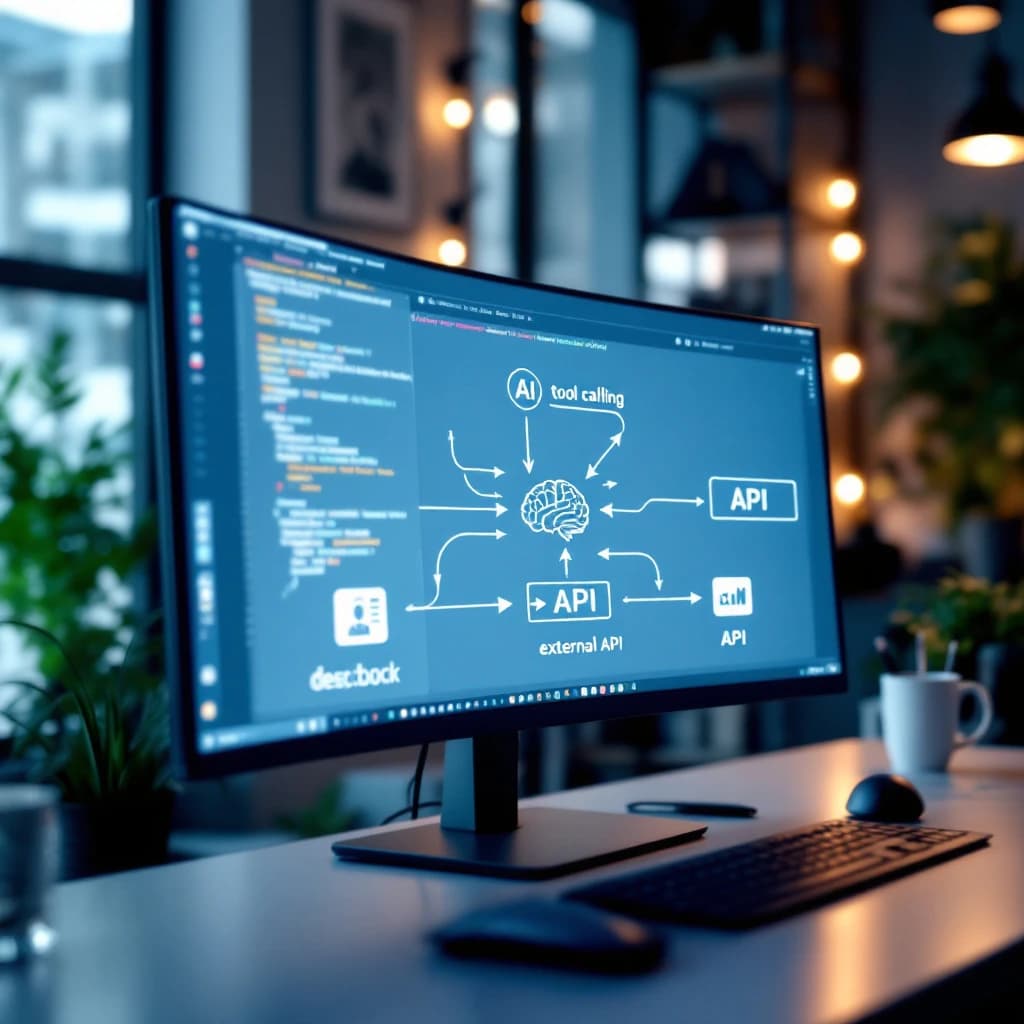
Tool calling is the mechanism that lets a large language model decide which external function to invoke and what arguments to pass, but the LLM never executes that function itself. Your application code receives the model's structured request, runs the actual function (like an API call or database query), and feeds the results back to the model. The model then uses that data to formulate its final response. Advanced models can request multiple functions in parallel within one response, but calling a single tool doesn't make your system "agentic." True agency requires a loop where the model reasons about results, decides on next actions, observes new data, and repeats until it reaches a goal. This looping pattern is called ReAct, and tool calling is just the foundational building block that makes it possible.
What Is Function Calling in LLMs?
Function calling (also called tool calling) is a structured way for language models to request external operations. You define a set of available functions with descriptions and parameters, and the model decides when to call them based on user input. OpenAI introduced this capability in June 2023, and it's now supported by GPT-4, GPT-3.5, Claude 3 models, Gemini 1.5, and most modern LLMs.
When you send a prompt to a model with function calling enabled, you're not just sending text. You're also sending a schema that describes what each function does and what arguments it accepts. The model reads this schema alongside the user's message and decides whether to respond with plain text or request a function call. According to OpenAI's documentation, models trained for function calling show approximately 30% higher accuracy in selecting the correct function compared to models using pure prompt engineering.
The critical distinction: the model outputs a structured JSON object containing the function name and arguments. It doesn't run anything. Your code is responsible for parsing that JSON, executing the actual function, and returning results.
Why Tool Calling Matters for AI Applications
Without tool calling, your LLM is limited to knowledge baked into its training data. It can't check your calendar, query your database, fetch current weather, or place an order. Tool calling transforms a language model from a conversational interface into an execution layer that bridges natural language and real-world systems.
This matters because roughly 80% of business AI use cases require accessing live data or triggering actions. A customer service bot needs to look up order status. A sales assistant needs to check inventory. A financial analyst bot needs to pull real-time market data. None of these work with pure text generation.
Tool calling also reduces hallucination. Instead of the model guessing what your database contains, it requests actual data. You run the query, return facts, and the model formulates an answer grounded in reality. This architectural pattern is how production AI systems maintain accuracy.
What the LLM Decides vs. What Your Code Executes
This division of labor is the most misunderstood aspect of tool calling. When you send a request to a model with functions defined, the model analyzes the user's intent and your function schemas. If it determines a function call is needed, it generates a structured response containing the function name and a JSON object of arguments.
Here's what the model does: reads the user prompt, reads function descriptions, decides which function (if any) matches the user's need, extracts relevant information from the prompt to populate function arguments. Then it outputs a special message type indicating a function call request. That's it. The model's job ends there.
Your application code does everything else. You receive the model's response, check if it contains a function call request, parse the function name and arguments, execute the actual function (which might call an API, query a database, read a file, or perform any operation), capture the result, format it as a new message, and send it back to the model in a continued conversation.
The model then reads the function result and generates a natural language response for the user. This back-and-forth can happen multiple times in sophisticated systems, but each step requires your code to orchestrate the flow.
How Does Data Flow Back to the Model After Function Execution?
The return flow follows a specific pattern. After your code executes the requested function, you package the result as a new message in the conversation history. This message has a special role type (typically "function" or "tool") that tells the model "this is the result of the function you requested."
You send the updated conversation back to the model, which now includes the original user message, the model's function call request, and your function result. The model reads this complete context and generates its final response. This is why function calling requires at least two API calls: one to get the function request, and another to get the final answer after you've provided the function result.
Your function result can be any string, but structured data works best. JSON is common because models are trained to parse it effectively. If your function queries a database and returns five rows, you might format them as a JSON array. The model will read that array and synthesize it into conversational language.
One important detail: you control what data gets returned. If your database query returns 50 columns but only 3 are relevant, you filter before sending to the model. This saves tokens and improves response quality. Models trained for function calling typically handle results up to 4,000 tokens efficiently, though you'll want to stay well below that for cost reasons.
How Does Parallel Tool Calling Work in Modern LLMs?
Parallel function calling lets the model request multiple functions simultaneously in a single response. Instead of calling one function, waiting for results, then deciding if another call is needed, the model identifies all necessary functions upfront and requests them together. GPT-4 Turbo and Claude 3 Opus both support this, and it can reduce total latency by 60% or more in multi-step workflows.
When you receive a response with parallel calls, the model's output contains an array of function call objects rather than a single call. Each object has its own function name and arguments. Your code needs to handle this by executing all requested functions (you can run them concurrently if they're independent) and returning all results in the next API call.
Here's what that looks like in practice. The user asks "What's the weather in New York and Los Angeles?" The model requests both get_weather(city="New York") and get_weather(city="Los Angeles") in one response. Your code executes both API calls, formats both results, and sends them back. The model then synthesizes both weather reports into a single coherent answer.
Parallel calling requires more sophisticated error handling. If one function succeeds and another fails, you need to decide whether to return partial results or retry. Most production systems return whatever succeeded and let the model acknowledge the limitation in its response.
How Do You Implement Function Calling in the OpenAI API?
You start by defining your functions as JSON schemas. Each function needs a name, description, and parameter specification. The description is critical because the model uses it to decide when to call the function. Be specific about what the function does and when it should be used.
Here's a working example that implements a weather lookup function:
import openai
import json

# Define your function schema
functions = [
    {
        "name": "get_current_weather",
        "description": "Get the current weather in a given location",
        "parameters": {
            "type": "object",
            "properties": {
                "location": {
                    "type": "string",
                    "description": "The city and state, e.g. San Francisco, CA"
                },
                "unit": {
                    "type": "string",
                    "enum": ["celsius", "fahrenheit"]
                }
            },
            "required": ["location"]
        }
    }
]

# Send a user message with functions available
response = openai.chat.completions.create(
    model="gpt-4",
    messages=[{"role": "user", "content": "What's the weather in Boston?"}],
    tools=[{"type": "function", "function": f} for f in functions],
    tool_choice="auto"
)

# Check if the model wants to call a function
message = response.choices[0].message

if message.tool_calls:
    # Extract the function call details
    tool_call = message.tool_calls[0]
    function_name = tool_call.function.name
    function_args = json.loads(tool_call.function.arguments)

    # Execute the actual function (this is YOUR code)
    if function_name == "get_current_weather":
        weather_data = get_weather_from_api(function_args["location"])

    # Send the function result back to the model
    second_response = openai.chat.completions.create(
        model="gpt-4",
        messages=[
            {"role": "user", "content": "What's the weather in Boston?"},
            message,
            {
                "role": "tool",
                "tool_call_id": tool_call.id,
                "content": json.dumps(weather_data)
            }
        ]
    )

    print(second_response.choices[0].message.content)
Notice how your code sits between the two API calls. The model decides to call the function, your code executes it, and then you send results back for the model to formulate a natural language answer. This pattern applies whether you're using OpenAI, Anthropic's Claude, or Google's Gemini APIs.
Defining Multiple Functions for Complex Workflows
When you define multiple functions, the model chooses which one (or several) to call based on the user's request. You can provide 10, 20, or even 50+ function definitions, though models perform best with fewer than 20 well-described functions. Each additional function increases the input token count and slightly reduces selection accuracy.
Your function descriptions should differentiate clearly between similar operations. If you have get_user_by_id and get_user_by_email, explain when to use each. The model relies entirely on these descriptions to make routing decisions.
Handling Function Execution Errors
Your code needs error handling because functions fail. APIs time out. Databases return errors. Files don't exist. When a function fails, you have two options: return an error message to the model as the function result, or catch the error in your code and retry before responding.
Returning errors to the model often works well. If your database query fails, you might return {"error": "Database unavailable, please try again"}. The model will read this and tell the user there was a problem. This approach keeps the model in the loop and lets it handle the situation conversationally.
Why Isn't Tool Calling the Same as Building an AI Agent?
Tool calling is a mechanism, not a system. Calling a single function when prompted doesn't make your application "agentic." True AI agents make decisions over multiple steps, adapting their strategy based on what they learn. This requires a control loop that tool calling alone doesn't provide.
An agent needs to reason about a goal, decide what action to take, observe the results, and repeat until the goal is achieved. This is the ReAct pattern (Reasoning and Acting), and it requires your code to orchestrate multiple rounds of model calls and function executions. According to research from Princeton and Google, ReAct-style agents solve complex tasks with approximately 40% higher success rates than single-shot function calling.
Here's the difference in practice. A tool-calling chatbot receives "book me a flight to Chicago," calls a flight search function, and returns results. An agent receives "plan my Chicago trip," searches flights, checks your calendar for conflicts, finds hotels near your meetings, books both, adds calendar events, and confirms everything. The agent loops through multiple reasoning steps and tool calls until the entire task is complete.
Your code implements this loop. The model doesn't automatically keep working toward a goal. You need to build the orchestration layer that feeds results back, checks if the goal is met, and prompts the model to continue if needed. Frameworks like LangChain and AutoGen provide abstractions for this, but understanding the underlying loop is essential for debugging and customization. If you're building sophisticated multi-agent systems, learning proper orchestration patterns becomes critical.
What the ReAct Loop Actually Looks Like
The ReAct pattern structures each iteration as thought, action, and observation. Your code prompts the model to think about what to do next (reasoning), the model requests a function call (action), your code executes it and returns results (observation), and the cycle repeats. You continue looping until the model indicates the task is complete or you hit a maximum iteration limit.
A typical ReAct implementation runs for 3 to 8 iterations on moderately complex tasks. Each iteration costs tokens for both the prompt and response, so you'll want to track costs carefully. Setting a maximum iteration count (often 10 to 15) prevents runaway loops that could drain your API budget.
The model needs explicit instructions to follow this pattern. Your system prompt should tell it to think step-by-step, use tools when needed, and state when the task is finished. Without clear instructions, models often try to answer immediately without using available tools or continue iterating unnecessarily. For more on managing these control flows effectively, understanding loop engineering patterns helps you build more reliable systems.
Building Your First Agentic Loop
You can implement a basic ReAct loop in under 100 lines of Python. You'll need a list to store conversation history, a function that sends messages to the model with tools defined, logic to check if the model requested a function call, code to execute requested functions and append results to history. Plus a stopping condition (either the model says it's done or you hit max iterations).
The conversation history grows with each iteration, which increases token costs. Production systems often implement memory management to summarize or truncate old messages while preserving essential context. This becomes especially important when building agents that need to maintain context across long-running tasks.
Start simple with a single goal and two or three tools. Test thoroughly to understand how the model decides when to stop. Some models are overly eager to declare completion, while others keep iterating beyond what's useful. You'll tune this behavior through prompt engineering and stopping logic.
Which Frameworks Make Tool Calling Easier to Implement?
LangChain provides abstractions for defining tools, creating agents, and managing conversation history. You define Python functions with docstrings, and LangChain automatically converts them to the JSON schema format that models expect. It handles the orchestration loop for you, though this convenience comes with less control over exactly how the loop operates.
LangGraph takes a different approach by modeling agent workflows as state graphs. You define nodes (actions the agent can take) and edges (transitions between actions), and LangGraph manages execution. This works well for complex workflows where you need precise control over how the agent moves between different states. Teams building production systems often prefer this level of control, especially when implementing parallel agent architectures.
AutoGen focuses on multi-agent systems where different AI agents with different roles collaborate. Each agent can have its own set of tools, and AutoGen orchestrates conversations between them. This pattern works well for complex tasks that benefit from specialization, like having one agent handle research while another handles writing.
Look, you should build at least one agent from scratch before adopting a framework. The abstractions make sense only after you understand what they're abstracting. Frameworks hide complexity that you'll need to debug when things go wrong, and honestly, they will go wrong.
Tool calling is the foundation that makes AI systems genuinely useful beyond conversation. You now understand that the model decides which functions to call but never executes them, your code handles all actual operations and returns results, parallel calling can request multiple functions simultaneously. And true agency requires a ReAct loop that your code orchestrates. Master this mental model and you'll architect better AI systems, debug problems faster, and understand exactly where the boundaries are between what the model does and what your code must handle. Start with simple single-tool implementations, then gradually build toward multi-step agentic workflows as you get comfortable with the flow of data and control.
Get a free AI-powered SEO audit of your site
We'll crawl your site, benchmark your local pack, and hand you a prioritized fix list in minutes. No call required.
Run my free audit