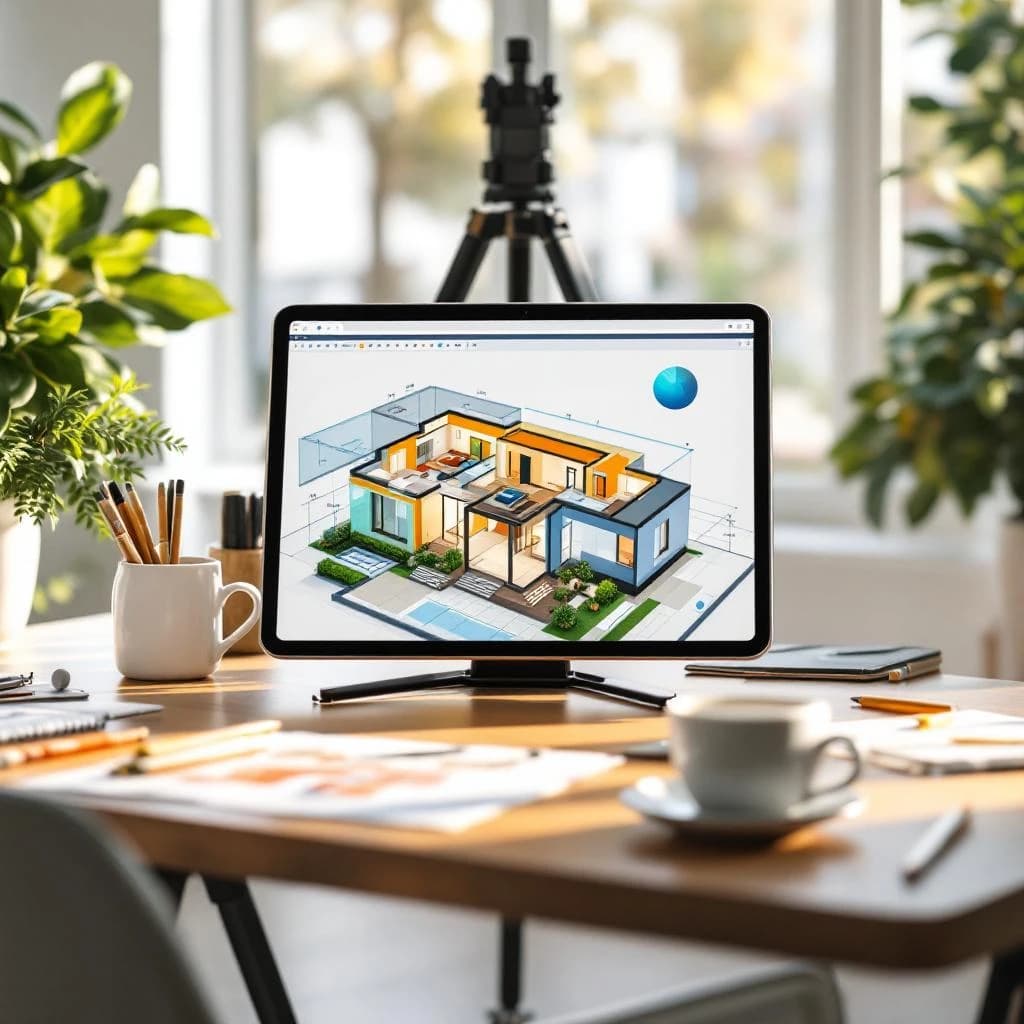
You can design professional-looking floor plans and 3D home models without architectural training using free AI-powered tools. These platforms convert simple sketches, text descriptions, or basic drawings into detailed layouts complete with measurements, room labels, and 3D visualizations. Tools like Planner 5D, Homestyler, and RoomGPT let you generate multiple design variations in minutes, export files for contractors, and iterate on ideas before spending money on construction.
What Are AI Floor Plan Generators and How Do They Work
AI floor plan generators use computer vision and generative AI models to interpret your input (whether that's a rough sketch, a photo, or text instructions) and produce architectural drawings. The technology combines image recognition to understand spatial relationships with parametric design systems that know building conventions like standard door widths, typical room proportions, and furniture clearances.
When you upload a hand-drawn sketch, the AI identifies walls, openings, and spaces. It then applies architectural rules to create a proportional, dimensioned floor plan. Most tools can generate multiple layout options from a single input, letting you compare different furniture arrangements or room configurations side by side.
The best platforms now include text-to-floorplan capabilities. You type something like "3 bedroom ranch house, 1500 square feet, open kitchen and living room" and the AI produces several layout options. This approach works surprisingly well for standard residential projects, though it struggles with unusual architectural features or complex multi-story designs.
Why Free AI Home Design Tools Matter for Homeowners and Small Businesses
Traditional architectural drawings cost between $2,000 and $8,000 for a basic residential project. That upfront expense stops many homeowners from properly planning renovations or testing multiple layout ideas before committing to construction. AI tools drop that barrier to zero for initial planning phases.
Real estate agents report that properties with 3D visualizations receive roughly 35% more inquiries than listings with only photos. Free AI design tools let agents create virtual staging and renovation mockups without hiring designers for every property. Small renovation contractors use these platforms to show clients what proposed changes will look like, reducing miscommunication and change orders during construction.
For ADU (accessory dwelling unit) planning, homeowners can test whether a backyard cottage will fit their lot and meet their needs before paying for permit drawings. You'll still need a licensed professional for final construction documents, but AI tools let you work through design decisions and budget implications first. If you're exploring how AI can streamline other business processes, check out how to implement AI in your business without wasting money for a broader framework.
Free AI Floor Plan Generator Tools Worth Using in 2025
Planner 5D offers a free tier that includes AI-powered room design and basic floor plan creation. You can draw walls using a simple interface, then let the AI suggest furniture layouts and generate 3D views. The free version limits you to 5 projects and includes watermarks on exports, but it's genuinely useful for planning single-room renovations or testing layout ideas. The AI generates design variations in about 15 seconds per iteration.
Homestyler provides completely free access to its floor plan tool and 3D visualization engine. You get unlimited projects, thousands of real furniture models from actual manufacturers, and the ability to export images (though not CAD files) without payment. Its AI assistant can recognize photos of your existing space and suggest redesigns. The platform works entirely in your browser with no software installation required.
RoomGPT specializes in AI-generated interior design from photos. While not a traditional floor plan tool, it excels at visualizing renovation ideas. Upload a photo of your current room, describe what you want to change, and it generates photorealistic mockups. Particularly effective for kitchen and bathroom remodels where you're keeping the same layout but changing finishes and fixtures.
Foyr Neo offers 4K renders and basic floor planning in its free tier. The AI can convert 2D floor plans to 3D models automatically and suggests furniture placement based on room dimensions. You're limited to 5 renders per month on the free plan, but each render is high enough quality to show contractors or use in permit applications.
How to Create Your First AI-Generated Floor Plan
Start by measuring your existing space or sketching your ideal layout on paper. You don't need precision at this stage. Count paces to estimate room dimensions (one pace equals roughly 2.5 feet for most people), note where windows and doors are located, and mark any immovable features like plumbing stacks or load-bearing walls.
Drawing Your Base Layout
Open your chosen platform and select "Create New Project." Most tools start you with a blank canvas and a wall-drawing tool. Click to place your first corner, then click again to set wall length and direction. The interface typically snaps to common dimensions like 10, 12, or 15 feet to keep things proportional.
Don't worry about perfect accuracy. The AI will clean up your rough sketch. Focus on getting the overall shape right and marking where openings should go. Add doors by clicking on walls and selecting the door tool. Most platforms automatically show the door swing direction, which matters for furniture placement later.
Using AI to Generate Design Variations
Once your basic layout exists, look for an "AI Design" or "Auto-Furnish" button. You'll typically choose a room type (bedroom, kitchen, living room) and a style preference (modern, traditional, minimalist). The AI then places furniture, suggests color schemes, and creates a 3D walkthrough.
Generate at least four variations before settling on a design. AI tools produce different results each time, and you'll often find that the second or third iteration solves a layout problem you didn't notice in the first version. This iterative approach mirrors how professional designers work, just much faster.
Refining and Visualizing in 3D
Switch to 3D view to check ceiling heights, window placement, and how the space actually feels. Walk through the virtual model using your mouse or keyboard. Pay attention to circulation paths (can you walk comfortably between furniture?) and sightlines (what do you see when you enter the room?).
Most platforms let you adjust individual furniture pieces, change wall colors, and swap flooring materials in 3D view. Make these refinements while viewing the space from multiple angles. What looks good in floor plan view sometimes feels cramped or awkward in 3D.
Best AI Tools for Designing Your Own Home Without Experience
Cedreo targets home builders and remodelers but offers a limited free trial. Its AI can generate complete house exteriors from floor plans, showing you what your design looks like from the street. The tool automatically applies local architectural styles (craftsman, ranch, contemporary) and suggests appropriate materials. Professional builders report that AI-generated exterior renderings reduce client revision requests by approximately 40% compared to 2D elevation drawings.
Finch 3D uses generative AI specifically for ADUs and small residential buildings. You input your lot dimensions, setback requirements, and basic program (number of bedrooms, bathrooms), and it generates dozens of code-compliant layout options. The free tier allows 10 generations per month. This tool is particularly valuable because it incorporates building codes and zoning rules, something most design AI ignores.
Maket.ai offers text-to-floorplan generation. Type a description like "L-shaped house, 2000 sq ft, master suite separated from other bedrooms, large kitchen island" and it produces multiple floor plan options in about 30 seconds. The free version gives you 3 generations per day. The results need refinement, but they're excellent starting points that would take hours to sketch manually.
For those interested in understanding the underlying technology that powers these design tools, exploring how AI systems actually work provides helpful context on what these models can and can't do reliably.
Getting Better Results from AI Design Tools
Sketch with straight lines and clear corners. AI models trained on architectural drawings expect orthogonal (90-degree) geometry. Curved walls and angled rooms confuse most free tools, producing distorted or unusable results. Save complex geometry for manual refinement after the AI generates your base layout.
Include scale references in hand-drawn sketches. Draw a person stick figure or note "8 ft" next to a wall. This helps the AI understand the intended size of your space. Without scale references, AI tools often guess incorrectly, creating rooms that are either dollhouse-tiny or warehouse-huge.
Use specific style keywords when prompting text-to-floorplan tools. Instead of "modern kitchen," try "modern kitchen with island seating for 4, pantry, and double ovens." The AI generates more useful results when you specify functional requirements rather than aesthetic preferences. Honestly, most AI tools handle function better than style anyway.
Generate multiple variations and cherry-pick the best elements. The AI might nail the kitchen layout in version one but create a better master suite in version three. Most platforms let you copy rooms between projects, so you can manually assemble your ideal design from multiple AI outputs.
When You Still Need a Professional Architect
AI floor plan tools work well for visualization and planning, but they don't replace licensed professionals for permitted construction. Any project requiring structural changes (removing walls, adding second stories, modifying foundations) needs an architect or structural engineer to ensure safety and code compliance.
Most jurisdictions won't accept AI-generated drawings for building permits. You need stamped documents from a licensed professional showing structural details, electrical plans, plumbing layouts, and energy calculations. Use AI tools to work through design decisions, then hire a professional to create construction documents. This approach typically reduces architectural fees by 20-30% because you're not paying hourly rates for early-stage design exploration.
Complex projects involving unusual sites, historic buildings, or high-end custom details exceed what AI tools can handle. The technology works best for straightforward residential projects using standard construction methods. If your project involves cantilevered structures, complex roof geometry, or integration with existing buildings, start with a professional rather than trying to force AI tools into situations they're not designed for.
Exporting and Sharing Your AI-Generated Designs
Most free tools let you export PNG or JPG images of your floor plans and 3D renders. These work fine for sharing with contractors, posting to renovation forums for feedback, or including in loan applications. Download both 2D floor plans and 3D perspective views to give viewers multiple ways to understand your design.
PDF exports typically require paid plans, but you can work around this by exporting images and combining them in a free tool like Canva or Google Slides. Create a simple presentation with your floor plan, 3D views, and notes about materials or dimensions. This package gives contractors enough information to provide rough estimates.
Few free AI tools export to DWG or other CAD formats that architects and engineers use. If you need to hand off your design to a professional for development, take detailed screenshots and create a dimensioned sketch. The professional will redraw it in their CAD system anyway, but your AI-generated design clearly communicates your intent and reduces back-and-forth revisions.
For real estate applications, most platforms let you create shareable links to 3D walkthroughs. These links work on any device without requiring viewers to install software. Agents report that listings with interactive 3D tours receive approximately 50% more qualified inquiries than those with only static photos.
Practical Applications Beyond Home Renovation
Interior designers use AI floor plan tools to pitch clients on space planning concepts before investing time in detailed design work. Generate three layout options in an hour, present them to the client, then develop the chosen direction manually. This speeds up the sales process and reduces wasted effort on directions the client ultimately rejects.
Landlords planning rental property updates can visualize different unit configurations to maximize rent potential. Test whether converting a large one-bedroom into a two-bedroom increases rental income enough to justify the renovation cost. AI tools let you model multiple scenarios and make data-driven decisions about property improvements.
Small construction companies use these platforms as sales tools during initial client meetings. Sketch the client's ideas in real-time during the conversation, generate a 3D visualization before the meeting ends, and email it to them as a follow-up. This approach closes more projects than verbal descriptions and hand-waving.
If you're building more sophisticated AI workflows for your business, understanding how to use agentic AI to automate repetitive processes can help you think about where AI adds value versus where human expertise remains essential.
Look, AI-powered floor plan tools give you the ability to test ideas, visualize changes, and communicate clearly with contractors without spending thousands on professional drawings. Start with free platforms like Homestyler or Planner 5D to explore your options, generate multiple variations to find what works best, and use the results to make confident decisions about your space. Remember that these tools handle planning and visualization beautifully, but you'll still need licensed professionals for permitted construction work and structural modifications.
Get a free AI-powered SEO audit of your site
We'll crawl your site, benchmark your local pack, and hand you a prioritized fix list in minutes. No call required.
Run my free audit